
I build free training simulators from manuals and field posts so new techs can learn why equipment does what it does before they touch a live plant.
Executive summary
This month on Monday Live!, the panel talked about the generational handover in our industry. YouTube is now the first tool many field techs reach for. A video shows how to fix the problem in front of you. It rarely shows what should be happening inside the equipment. On October 26, the panel talked about these simulators as one way to fill that gap.
- Since June 2026, I have used AI to build interactive training simulators from manufacturer manuals, design guides, and posts by people in our field.
- Each simulator runs in a web browser. A learner changes a setting, watches the system respond, and works out what went wrong.
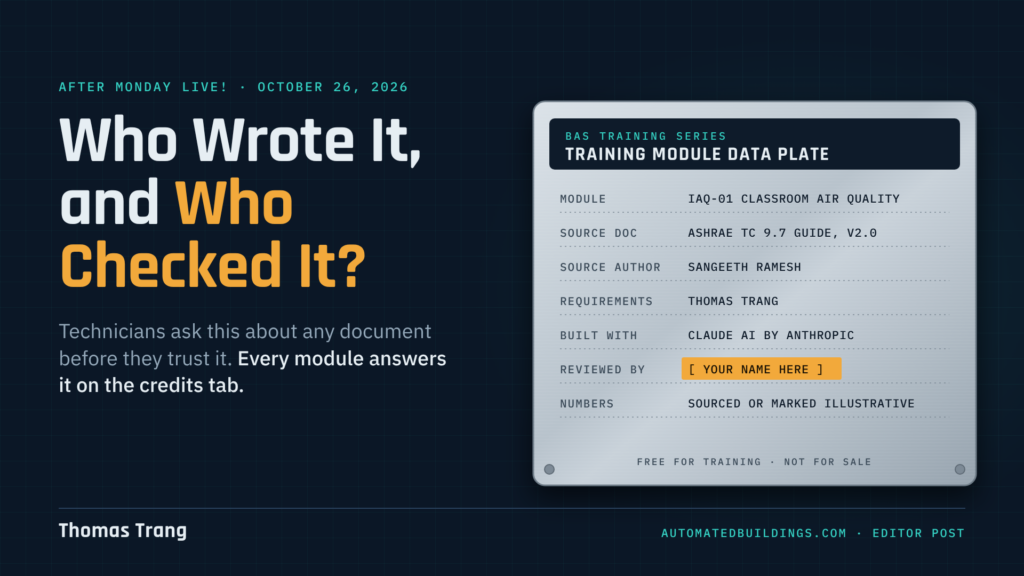
- Every module names its source author, the AI that built it, and the reviewer when there is one. Those are the first things technicians ask about any document: who wrote it, and who checked it.
- People who know the equipment review the modules, and their feedback is what makes them right.
- The library in this article links to 24 simulators, grouped by system, plus the template I use to write build requests.
- The simulators are free for training. I don’t sell them, and I have no plans to.
What Monday Live! asked this month
October’s Monday Live! theme was evolving skill sets. Three sessions stayed with me.
On October 5, Ken Sinclair shared a point from Anno Scholten: YouTube is the most used software tool among field technicians. Anto Budiardjo then raised a fair concern. A video teaches you how to fix what’s broken right now. It doesn’t teach you what should be happening inside the equipment. He asked whether we are heading toward people who can fix things without understanding them.
On October 19, Ken Sinclair said the handover needs to be a transition, and that we can use the technology to make it. He pointed to the AI simulators I have been building as one example. Kelly Sinclair’s October 20 post on AB put the idea in its title: “The Great Generational Handoff Is Not a Baton Pass.”
On October 26, the last session of the month, Ken opened the discussion with my cooling distribution unit sequence simulator. He described the method in three parts. The data is usually wedged into a large PDF. AI unfolds it into an interactive model. A subject expert checks it so it doesn’t fall off the rails. Ken called the result a new and improved YouTube: you can watch how something works, then run it yourself.
The panel then asked how a tech can trust a document, how to teach the cost of a wrong move, and how to keep what the building whisperer knows before he retires. Those questions shape how I build these modules, so I come back to each one below.
What they are
Each simulator is a single web page. It opens in a browser with nothing to install. A learner changes a setting, watches the system respond, and sees what breaks.
So far I have built modules on air handlers, rooftop units, terminal units, chilled water plants, cooling towers, heat pumps, and data center liquid cooling. Every module opens with a disclaimer the learner has to accept. It says the simulator is a training model, not a live system, and not design guidance. Every module ends with credits that name the source author, me, and Claude, the AI that writes the code.
How I build them
A video skips the why, so I start with the source material. That might be a manufacturer’s IOM manual, a design guide, or a post from someone in our field who knows the topic well.
I write the requirements and mark every number as stated in the source, taken from my own field experience, or illustrative. Claude builds the first version. I check it against the source. A first working build takes about a day.
Who wrote it, and who checked it?
On October 26, Anno Scholten described a survey of his technicians. Before any question about AI, they asked how to trust a document. Who wrote it? When the talk turned to AI, the questions were the same: who trained it, who authored the source, and who reviewed it. Anto Budiardjo called that provenance.
I agree with the technicians. Every module names its source author, me, and Claude on its credits tab, and names the reviewer when there is one. Values that are not from the source are labeled illustrative. When a module comes from a manual, it cites that manual so you can check it yourself.
Learning what a wrong move costs
Steve Fey compared this to how military pilots train. You put people in situations they are likely to meet. They make a choice, and they see the result. He asked what happens when a tech makes the wrong change to a chiller plant. A simulator is a safe place to find out.
Several modules are built for that. CTP-01 hides a fault in a cooling tower loop for the learner to find. RPS-01 asks why a rooftop unit won’t run. HPR-01 keeps each service call locked until the learner takes at least two readings. RCC-01 lets you restrict a branch, add a leak, or trip a pump and watch the hottest GPU respond.
Anno Scholten added that a video of switchgear failing drives the point home. A simulator lets a new tech make the mistake without the damage.
An example: the classroom simulator
IAQ-01 is a good example. I built it from a LinkedIn post by Sangeeth Ramesh on airflow, enthalpy, and coil capacity, and from the free ASHRAE TC 9.7 guide for educational facilities, Version 2.0.
The model is one 900 ft² classroom, one air handler, and the BAS logic between them. The learner runs a school day and changes the ventilation mode, the filter rating, and the outdoor conditions. CO2 and PM2.5 respond on screen. The learner can drift a CO2 sensor, watch demand control ventilation make the wrong move, then check the sensor against a handheld reference. The simulator also includes a nurse suite isolation room, which the guide ranks as a very high priority.
IAQ-01 doesn’t predict health outcomes for any real room. It shows a new tech how the parts of a school IAQ strategy work together, and why a sensor reading isn’t the same as the room.
The simulator library
Here is every module I am sharing so far, grouped by system. Each one is free, opens in a browser, and credits its source. Modules built from manufacturer documents are independent study aids. The manufacturers have not reviewed or endorsed them.
Air handlers, rooftop units, and outdoor air
- AHU-01 Air Handler Lifecycle Simulator. Follow one Trane Performance Climate Changer CSAA air handler with gas heat from the planning table through its first year of service. Page tags open the cited pages of the catalog and the gas heat IOM. Source: Trane catalog CLCH-PRC022F-EN and gas heat IOM CLCH-SVX08F-EN.
- RPS-01 RoofPak Check, Test, and Start. Take one RPS 061D rooftop unit through a unit tour and a guided start-up, then work a “Why won’t it run?” case through an Evidence Gate. Source: start-up manual IM 893-10, with compressor staging from IM 919-5.
- RoofPak RAH 047C / 077C Air Handler. An air handler module for RoofPak RAH sizes 047C and 077C.
- PKG-01 Packaged Outdoor Air Unit Controls. A unit view, point list, trend lab, behavior lab, commissioning tab, and owner view, built around a field case on the limits of packaged controls. The unit and its values are invented for training. Source: my own lesson write-up, plus three public comments on the original post.
- DOAS-02 Three Angles on One System. Three articles on one DOAS with sensible cooling terminals. Every figure is live, and a change in one article carries into the other two. Source: W. Ryan Geister and Dan Gentry, Trane Engineer Summit 2023.
- ECON-01 Airside Economizer Performance Lab. A lab on airside economizer performance.
- HumidiClean HC-4500 Simulator. A humidifier module for the HumidiClean HC-4500.
Terminal units and zone airflow
- FPB-01 Parallel Fan-Powered Box. Follow one parallel fan-powered VAV box from the crate to a working BAS sequence, with separate tracks for newcomers, field technicians, and controls and commissioning. Source: Titus DTQP submittals and IOMs, and an Evolution Controls data sheet.
- FPB-02 Series Fan-Powered Box. The series box, where the fan runs all occupied day. Tabs cover anatomy, the Guideline 36 sequence, fan setup, the ECM board, electric heat, install, troubleshooting, and an assessment. Source: Titus fan powered terminals catalog, engineering guidelines, and IOM.
- DD-01 Dual-Duct VAV Terminal. Run a dual-duct box with box, zone, and AHU views, then load scenarios, faults, and overrides and watch the trends. Source: ASHRAE Guideline 36, the LBNL Modelica Buildings Library and dual-duct FDD dataset, and Titus and Nailor literature.
- VAV-01 Multi-Zone VAV Control Room. A control room view of a multi-zone VAV system with coupled air handler and zone loops, demand-controlled ventilation, building pressurization, and alarms. Source: my own reference documents and a building pressurization lesson learned.
- Animated 4-Pipe Fan Coil Unit. An animated 4-pipe fan coil with the heating coil first, fan proof before the valves modulate, alarms, condensate overflow shutdown, and a PID control lab. Source: a written sequence of operations.
- CFM-01 Airflow from Velocity. Practice estimating airflow from an anemometer reading, including free-area and k factors, on a modeled handheld meter. Source: Tony Mormino, “How to calculate CFM with an anemometer.”
- IAQ-01 Classroom Air Quality Simulator. The classroom example described above. Source: Sangeeth Ramesh and the ASHRAE TC 9.7 guide.
Chilled water, condenser water, and heat pumps
- DCC-01 Chiller Design and Operation. Six scenarios on chiller plants for high-density data centers, from fault detection and recovery to N+1 through chiller selection, control response, and weather. Source: Duane Warren’s session at Advancing Data Center Cooling Innovation East, Herndon, Virginia, September 22, 2026.
- TES-01 Stratified Chilled Water Storage. Watch a stratified tank charge at night on an air-cooled chiller and carry the building through on-peak hours. Then size a tank from a load profile. Source: my own thermal energy storage overview.
- CTP-01 Cooling Tower Pumping and Piping. Trace an open condenser water loop from the basin through the pump, condenser, and tower and back. Take the nine-stop guided tour, explore freely, or hunt a hidden fault. Source: Bell & Gossett Technical Manual TEH-1209A.
- ENL-045 Heat Pumps on a Shared Loop. Energy-saving strategies for water-source and ground-source heat pump systems. Source: Trane Engineers Newsletter LIVE program APP-CMC045-EN (2012), presented by Mick Schwedler, Paul Solberg, and John Murphy.
- HPR-01 Heat Pump Reversing Valve. One heat pump in cooling, heating, and defrost, plus three service calls. A Guide tab gives a class plan with questions for each stage. Source: Tony Mormino, “Heat pump reversing valve explained.”
- MOL-01 Mollier (log p-h) Diagram. Plot a vapor-compression cycle on a pressure-enthalpy chart in US or SI units and work out the energy balance for several refrigerants, including R-290 and R-744. Technical review by Huey Liew.
- MAG-01 FT-3500 Insertion Mag Meter. Install, configure, and troubleshoot an ONICON FT-3500 insertion mag meter. Thread the adapter, crack the valve, set the insertion depth, then work the fault lab. Source: ONICON documentation.
Data center liquid cooling
- RCC-01 AI Server Rack Cooling Control. Trace coolant from the CDU to each GPU cold plate. Restrict a branch, add a leak, or trip a pump, and learn why total flow does not prove every server is cool. Source: Aung Tun, “AI Server Rack Cooling Control: From Coolant Supply to GPU Protection.”
- IGBT-01 Cold Plate Thermal Path. Remove 3.3 kW from an IGBT by changing the cold plate, the thermal interface material, and the flow. The goal is more junction margin per watt of pump power, in SI or IP units.
- AHL-01 AI Data Hall Layout. Lay out AI racks in rows, columns, and pods, then see where the failure boundaries fall. Source: Aung Tun, “Organize AI Racks: Rows, Columns and Pods.”
How I write the requirements
- Simulator Build Request: Prompt Template. The template I use to turn a source post into a build request, with a worked example from Aung Tun’s rack cooling post.
- VMA-01 Build Request: Positive dP, Zero Airflow. A full build request for a VMA1630 airflow simulator, gathered from Abdulrehman Muhammad’s LinkedIn post, his CCT screenshots, and the install instructions.
AI adoption
- FEAR-02 Prescriptive AI. Part of my F.E.A.R. series on how facilities teams adopt AI.
Why they are free
I pay for these AI tools, and I want them working on something our industry needs. I don’t sell the simulators, and I have no plans to.
The source material belongs to its authors. Each module links to it and credits it. The simulators are free to use and share for training, as long as the credits stay in place.
I built them for programs that bring new people into the trade. Trade schools, apprenticeship programs, and in-house training teams can use them too.
Key lesson learned
I carry one lesson into all my work: “We cannot resolve the problem solely by understanding it; however, thorough comprehension will help us resolve it more effectively.”
Building these simulators showed me what that looks like with AI. Claude was the fastest part of the job. What made each module worth teaching from was slower work: reading the source, writing clear requirements, and listening to the people who told me where I was wrong. Every module got better after someone with years on the equipment looked at it.
What I’m asking
If you run a training program, try a module with your class and tell me where your students got stuck. If you need a topic I haven’t covered, send me the source material. I build these on my own time, so I can’t promise every request, but I will tell you honestly what I can do.
If you have years on the equipment, I need reviewers. Kimon Onuma made the point on October 26 that much of what we know about buildings is still in people’s heads. If you are the building whisperer at your site, check a module against what you know and tell me where it is wrong. Your name goes in the credits if you want it there.
Conclusion
The handover is happening whether we plan for it or not. Ken put it well on Monday Live!: it has to be a transition. YouTube will stay the first stop for a lot of techs, and that’s fine. A free simulator built from the manual can sit next to the video and show the why.
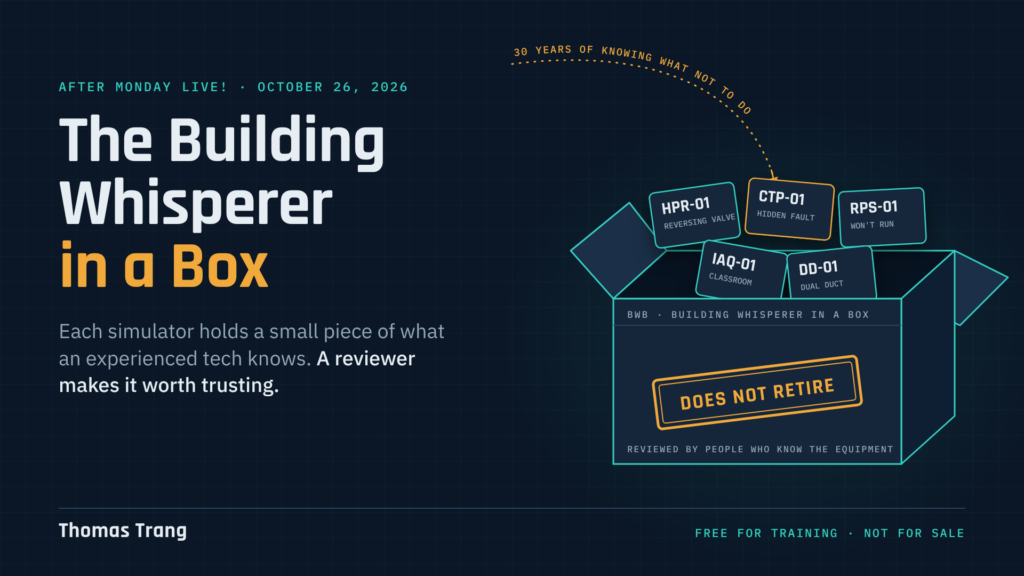
Anto Budiardjo closed the October 26 session with an idea I keep coming back to. The building whisperer already runs simulations in his head, built from 30 years of knowing what not to do. Capture that in a virtual building whisperer, and it won’t retire. Anno Scholten has a name for it: the building whisperer in a box.
My simulators are a long way from that. Each one tries to hold a small piece of what an experienced tech knows, in a form a new tech can run. A reviewer who knows the equipment is what makes that piece worth trusting. That is where this industry’s veterans come in, and why I keep asking.
Links
- Tony Mormino, “Heat pump reversing valve explained” (LinkedIn post)
- Monday Live! at mondaylive.org, with past sessions on YouTube
About the author. Thomas Trang is a controls technician with more than 22 years in facilities maintenance, building automation, and data center commissioning. He builds his training simulators with Claude, Anthropic’s AI, and credits every source.
AI disclosure. I used Claude, Anthropic’s AI, to help draft and edit this article. Claude also writes the simulator code. The field content, the review, and the final edits are mine.